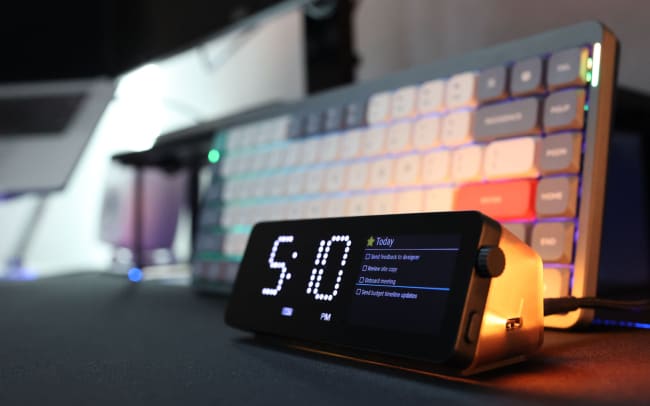
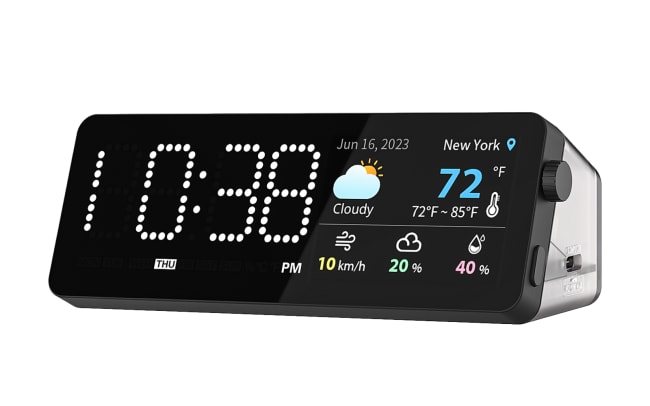
The Vobot Mini Dock is an innovative product designed to enhance your productivity and work efficiency through a multifunctional docking station. This stylish 7-in-1 dock not only boasts an elegant design but also integrates a variety of practical features. The device is equipped with a 2.0-inch high-resolution screen, a clock dot matrix light, a multifunctional button, and an encoder. The top row of ambient lights and the semi-transparent casing add a modern and futuristic touch to your workspace.
Integrating Todoist with Vobot transforms the Mini Dock into a powerful task management hub. Directly view and manage Todoist tasks and schedules on the screen, easily marking tasks as completed or confirmed. This seamless integration ensures that you can maintain an organized workflow and keep track of your tasks without constantly checking your phone or computer.
機能
-
When you’re working, there’s no need to keep opening the Todoist app on your computer or phone.
-
See your time schedule on the Mini Dock when you’re in deep focus mode, so you won’t get distracted by phones or computers. Plus, you can use Pomodoro on the Mini Dock to track time.
-
Users who want to use Todoist in a more personalized way can even develop their own app for their Vobot Mini Dock.