
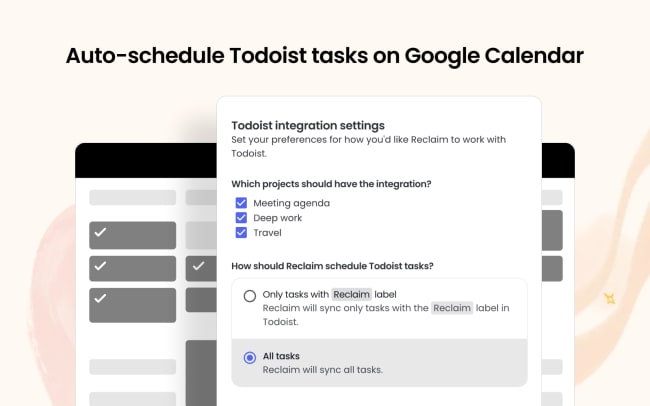
Having trouble making time for your tasks? Use AI scheduling at Reclaim to automatically defend time for your Todoist tasks in Google Calendar or Outlook Calendar – and get up to 40% more done every week.
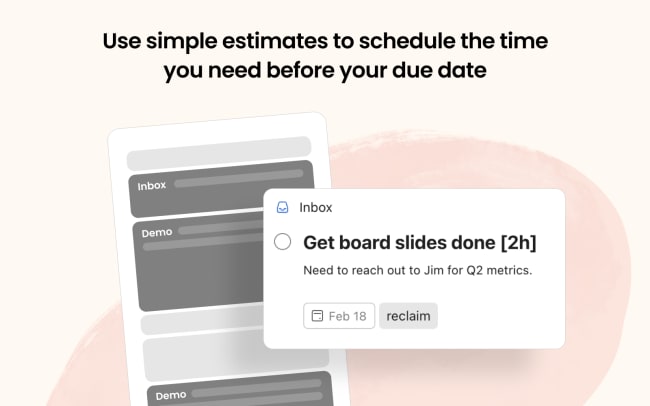
Reclaim's smart time blocking finds the best time for all of your Todoist items before their due date. If a conflict comes up, like PTO, an urgent meeting, or another more important task, Reclaim will auto-reschedule your tasks for you in seconds.
With Focus Time, you can also automatically block out uninterrupted heads-down time to ensure you have time for deep work on your tasks. Set a Focus Time weekly goal, and AI will protect enough time for you to get stuff done. Any work Task scheduled through Todoist counts toward your weekly goal, and the rest of your goal is defended as "Focus Time" sessions.
Funkce
-
Auto-schedule Todoist tasks in Google Calendar or Outlook Calendar.
-
Defend the time you need per task, by priority, before your due date.
-
Keep your calendar flexible for new appointments with smart time blocking.
-
Auto-reschedule tasks around priority changes, PTO, and urgent meetings.
-
Auto-schedule your team meetings with Smart Meetings.

Nemůžete najít integraci, kterou hledáte?
Propojte si Todoist s tisícovkami dalších aplikací přes naše automatizační partnery. Nebo prozkoumejte naše API a připravte si vlastní rozšíření a integrace.