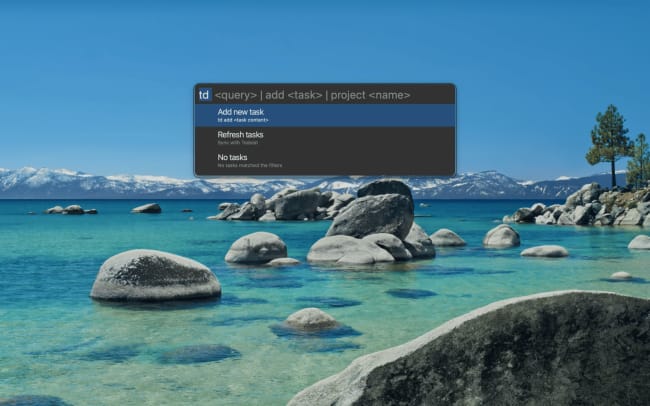
Capture tasks without breaking your flow. This plugin brings Todoist into the Albert keyboard launcher on Linux and macOS, so you can search, add, and complete tasks with just a few keystrokes – no window switching or mouse clicking required.
After installing the plugin and connecting your Todoist account, type td in Albert to see today’s tasks, td add [buy groceries tomorrow] to create a new task with natural language dates, or td project [Work] to view all tasks from a specific project. You can mark tasks as completed directly from the search results. The plugin syncs your tasks in the background, so your list stays current without manual refreshes.
Natural language works just like it does in Todoist: use # for projects, @ for labels, p1-p4 for priority levels, {} for deadlines, and write dates like “tomorrow” or “next Friday” when adding tasks. Search across all your tasks instantly, complete them with a keystroke, and get back to what you were doing.
機能
-
Capture without context switching. Deep in a coding session when you remember something? Hit your Albert hotkey, type “td add schedule dentist next week,” and you’re back to coding in seconds.
-
See what’s due today at a glance. Type “td” in Albert to instantly view all tasks due today, sorted by priority – no need to open your browser or the Todoist app.
-
Search across everything instantly. Looking for that quarterly report task? Type “td quarterly” to find matching tasks across all projects, then jump to the full details in Todoist if needed.
-
Complete tasks the moment you finish. Open Albert, search for the task you just wrapped up, and press Enter to mark it done. You’ll see a confirmation, and your list updates automatically.
-
Browse project tasks without breaking flow. Type “td project Work” to see every active task in that project, complete with due dates and quick actions.