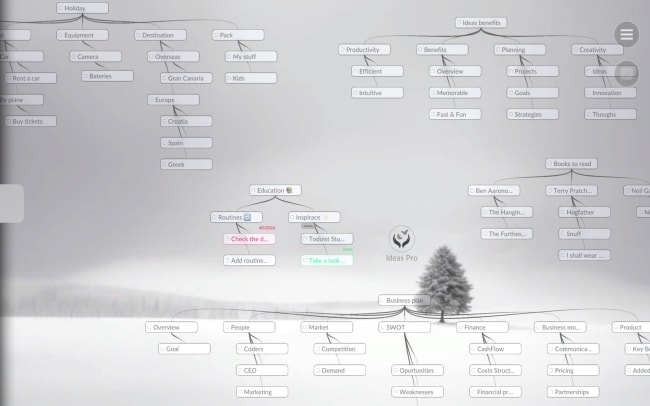
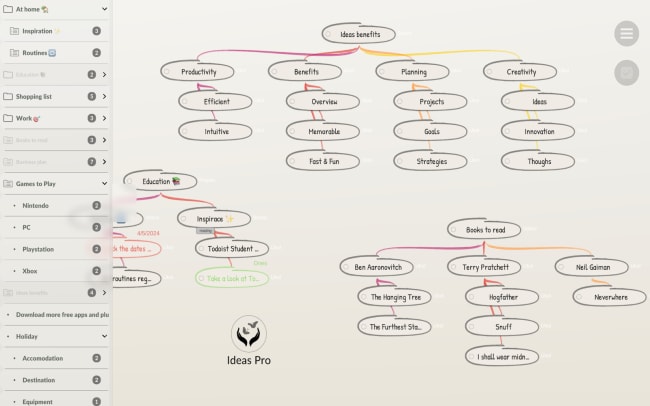
Ever feel like your head is buzzing with ideas, tasks, and responsibilities, but your to-do list just can't keep them all in check? Sounds familiar, right? We've all faced the frustration of endless task lists. That's where Ideas steps in – a unique fusion of mind mapping and Todoist.
Todoist lists are great for straightforward tasks, but when it comes to complex projects or brainstorming, they can be limiting. The more tasks you have, the easier it is to get lost in them. Our brains don't function linearly; our thoughts jump around, connect, and spark new ideas. Linear lists fail to capture this process and often stifle our creativity.
Mind maps allow us to visualize our thoughts as they truly form – non-linearly and interconnectedly. One idea leads to another, opening up an infinite field of possibilities. But how do you turn these ideas into actionable steps? Ideas offers a revolutionary solution by combining the freedom of mind mapping with the efficiency of Todoist. Every idea you create in your map automatically syncs with Todoist as a specific task ready for action. In Ideas, you have Unlimited Space for Your Ideas, in beautiful design and intuitive interface.
機能
-
Unlimited Space for Your Ideas: Create mind maps without restrictions and let your creativity flow freely.
-
Immediate Action: Your ideas instantly become tasks in Todoist, so you can start acting right away.
-
Inspiring Environment: Sleek design and intuitive interface support your creativity and make work easier.
-
Basic Version for Free: Enjoy the core features of the Ideas app completely free and discover a new way of planning.