
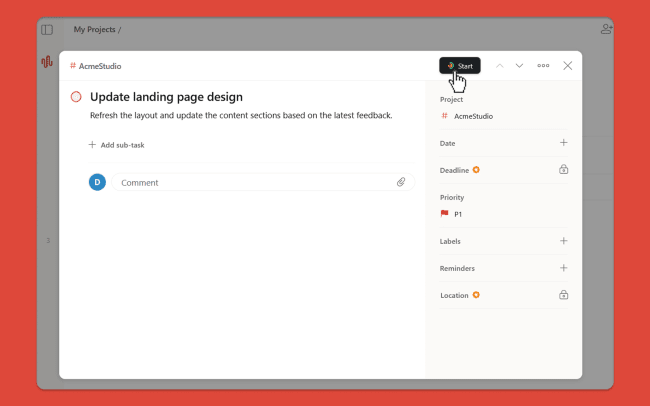
With Traqq, you can track how much time you spend on your Todoist tasks. The integration works through the Traqq browser extension and allows you to start the timer from any Todoist task by clicking the Traqq icon. The task name is automatically added to your Traqq time entry, so you don’t need to enter it again.
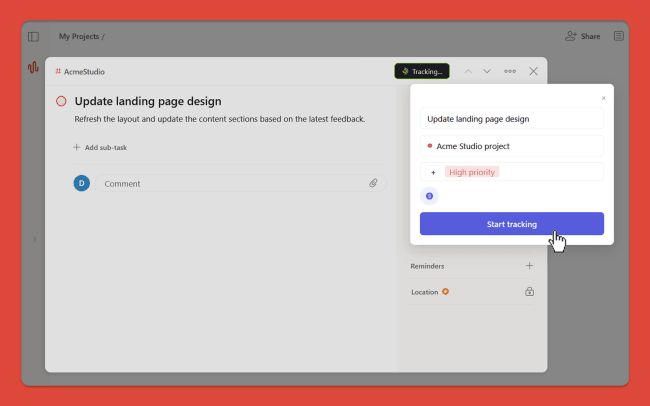
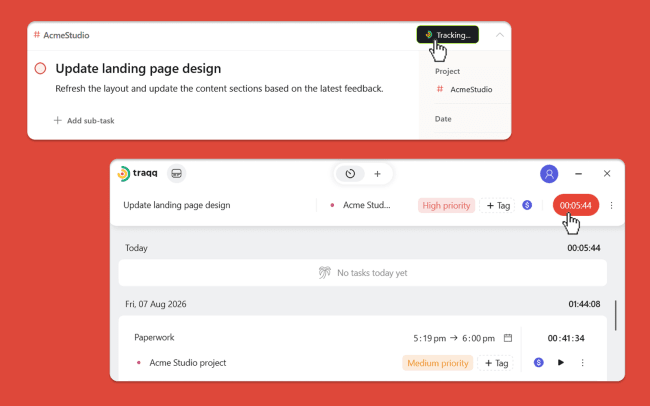
Before starting the timer, you can select a Traqq project, add tags, and mark the time as billable or non-billable. Your tracked time is automatically synced with Traqq, where you can review your time entries. You can stop tracking from Todoist or from any Traqq app.
Ferramentas
-
Know how much time you spend on every Todoist task.
-
Start and stop time tracking without leaving Todoist.
-
Keep your time entries organized by task, project, and tags.
-
Track billable and non-billable time for your Todoist work.
-
Get detailed reports on your tracked time in Traqq.

Não conseguiu encontrar a integração que estava procurando?
Faça a integração com milhares de outros aplicativos via nossos parceiros de automatização.
Ou explore nossa API para criar suas próprias extensões ou integrações.