Documenting and reporting on work in progress is a lot easier with Export to Google Sheets.
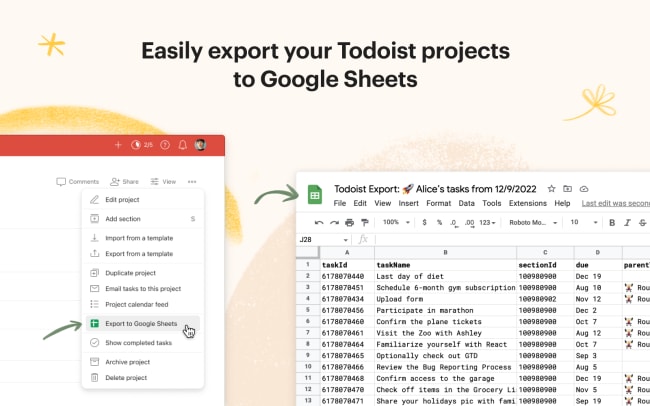
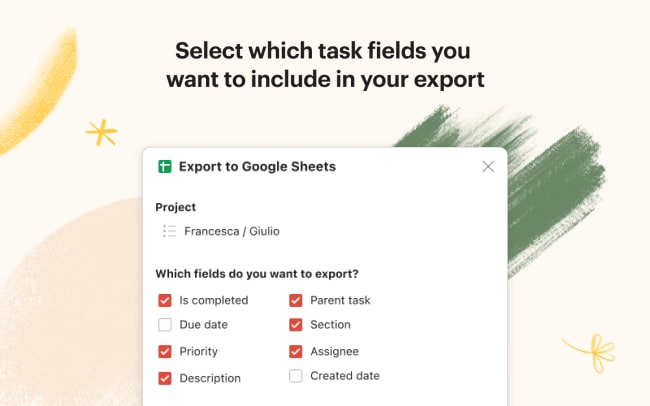
Simply open your project, choose Export to Google Sheets from the project menu, and select which task fields (including due date, priority, creation date, description, section, and assignee) you want to include in your spreadsheet. Hit the Export button, and a new spreadsheet will show up directly in your Google Drive.
功能
-
Export your Todoist projects to Google Sheets.
-
Select which task fields you want to include in your export.
-
Export directly to a new spreadsheet in your Google Drive.