
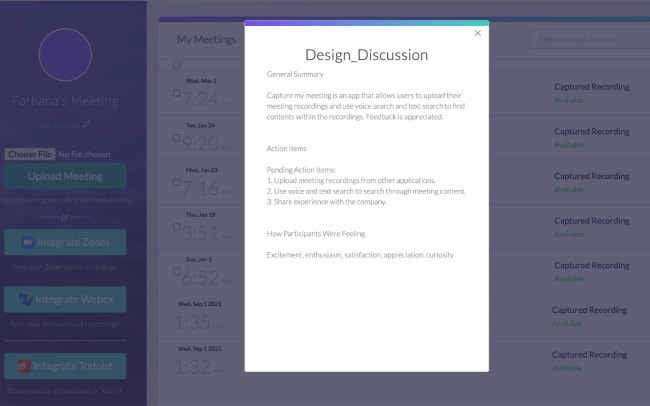
CaptureMyMeeting is an AI-driven meeting productivity platform that keeps track of your meeting content so that you can more easily find, review, share, and act on the collected knowledge from your meetings. CaptureMyMeeting summarizes your meeting recordings and provides you with a detailed list of action items.
Integrate with Todoist, and CaptureMyMeeting will store each action item it detects from your meeting recording into your Todoist inbox, automatically capturing your tasks so that you can focus instead on “getting things done.”
Ominaisuudet
-
Automatically summarize your meeting recordings with a detailed list of action items.
-
Convert your meetings to actionable next steps.
-
Automatically create tasks in your Todoist inbox for each action item.



Can’t find the integration you’re looking for?
Integrate with thousands of other apps via our automation partners. Or, explore our API to build your own extensions or integrations.