
When you collaborate online, email and group chat become disruptive fast. Twist is a team communication app that keeps all types of conversations organized and in one place. That means no more messy email chains and no more chaotic group chats.
Our work benefits from a balance between talk and action — when our best ideas are refined by our peers and our creative discussions become actionable, impactful plans. When you connect Twist with Todoist, you can easily turn talk into action, which allows you to work more deeply and communicate more thoughtfully.
功能
-
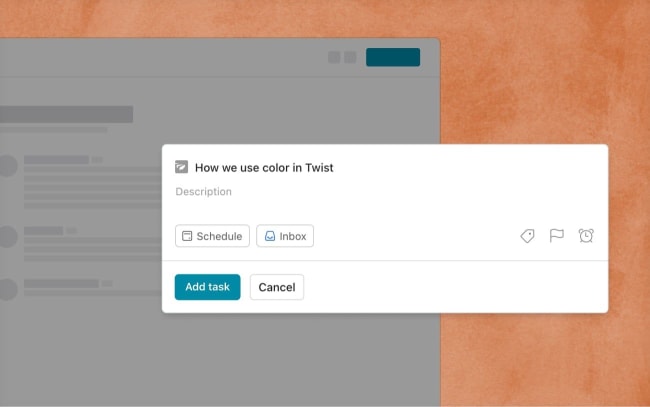
Convert Twist conversations to actionable tasks using quick add. You can add automatically-linked threads, messages, and comments to Todoist as tasks in one click.
-
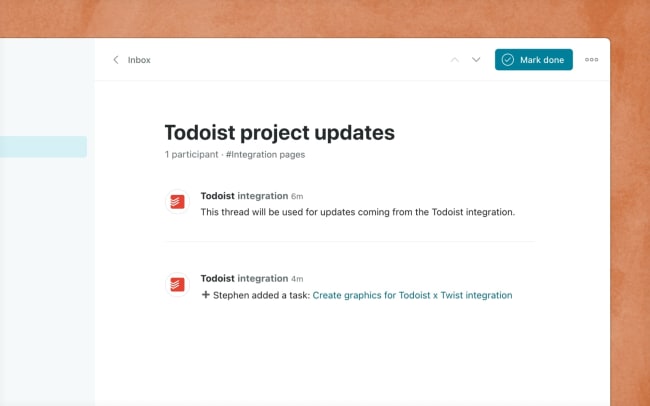
Follow progress in your Todoist projects with automatic, synced updates inside Twist.
-
See who completed which task directly inside Twist and revisit that Todoist task with the click of a link.

Can’t find the integration you’re looking for?
Integrate with thousands of other apps via our automation partners. Or, explore our API to build your own extensions or integrations.