
When form submissions need follow-up, it’s easy for requests, updates, or action items to get buried in inboxes or spreadsheets. The Jotform and Todoist integration helps solve that by creating a Todoist task from each new Jotform submission, so you can track incoming work in one place.
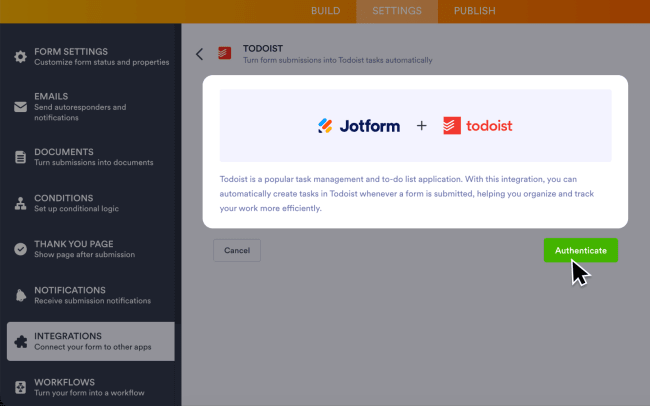
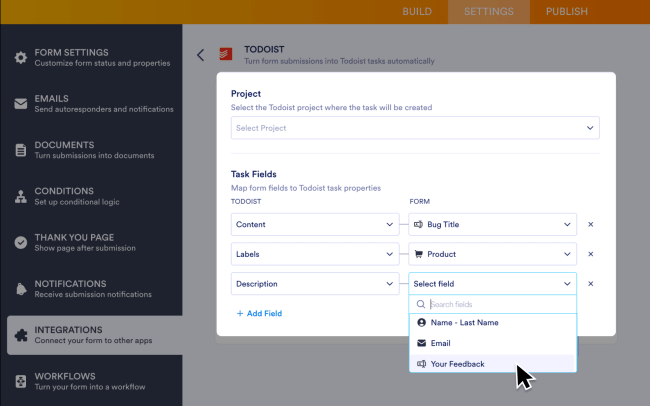
After connecting your Todoist account to Jotform, you can choose the Todoist project where tasks will be created and map your form fields to the Todoist task fields. Each time someone submits your form, the integration creates a new task in Todoist using the information you mapped. This helps teams stay organized and keep follow-up work from being missed.
Características
-
Turn form submissions into Todoist tasks so nothing gets overlooked.
-
Create follow-up tasks from intake and referral forms to keep cases moving.
-
Turn rental applications and purchase forms into tasks your team can act on.
-
Send admissions forms, approvals, and feedback into Todoist to keep workflows organized.
-
Capture service and support requests as Todoist tasks, so your team can respond faster.


¿No encuentras la integración que necesitabas
Integra con miles de otras aplicaciones a través de nuestros socios de automatización. O explora nuestra API para crear tus propias extensiones o integraciones.