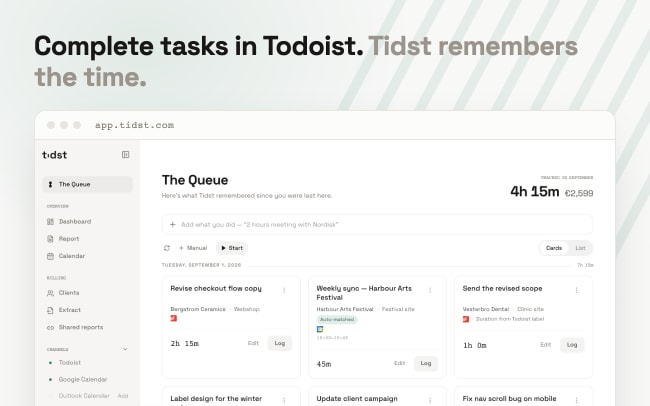
Most Todoist users already manage their work as tasks – but when it’s time to invoice a client, there’s no record of how long anything took. Switching to a separate time tracker means running timers mid-task or reconstructing hours from memory on a Friday afternoon. The result: underinvoiced work and inaccurate billing.
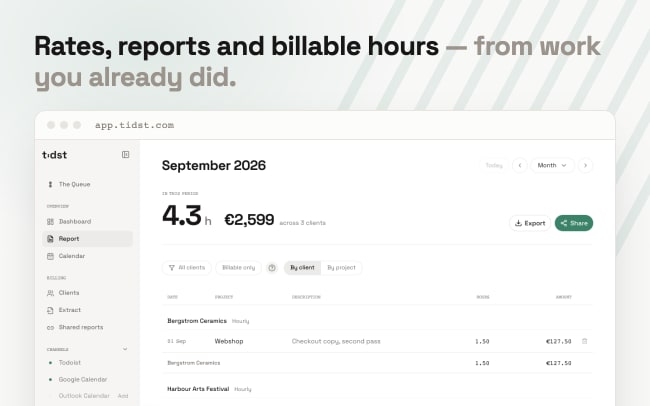
Tidst connects directly to your Todoist account. Complete a task in one of the projects you choose to watch, and it appears in Tidst’s Queue, ready to be logged – no timers needed. Know roughly how long a task took? Add a label like @30min before completing it, and the duration arrives pre-filled. Recurring tasks return to the Queue every time you complete them. Set rates per client or project, log hours against completed work, and see exactly what you’ve earned.
Share a live, read-only report with clients, or export PDF, Excel and CSV when it’s time to invoice. Hourly, fixed price or retainer – Tidst knows your billing model. Google and Outlook Calendar can feed meetings into the same Queue. Tidst is free to use – no trial, no credit card.
機能
-
A freelance designer completes client tasks in Todoist all week, then opens Tidst on Friday, reviews the Queue and logs the week in one sitting – no timers ran during the workday.
-
A consultant adds @45min and @90min labels to tasks before completing them, so every item arrives in the Queue with its duration already filled in.
-
A developer sets a different rate per client and uses Tidst’s reports to see which clients are actually most profitable.
-
A solo business owner on retainers and fixed-price projects lets Tidst’s billing models track the value – and shares a live, read-only report so the client can follow along.
-
A freelance writer exports the month as a billing extract – including a time-only version without amounts – and hands it straight to the accountant.