Task Helper saves you from having to perform tedious manual actions over and over again.
Speed up your work with a collection of automated task operations:
Turn a task into an uncompletable task. Select Toggle uncompletable task from the task menu to turn the task into an uncompletable task. Select again to turn it back into a task that can be completed.
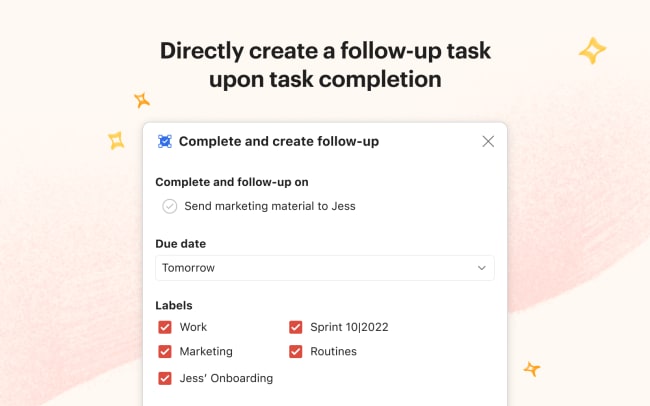
Create a follow-up task upon task completion. Go to the task menu and select Complete and create follow-up to mark your task as complete and immediately create a new task that reminds you to follow up on it.
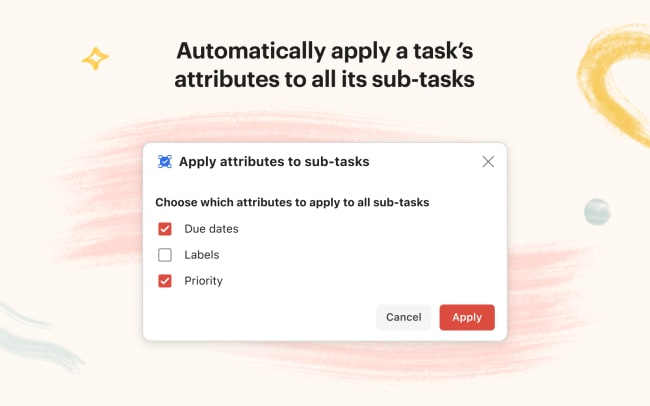
Apply a task’s attributes to all sub-tasks. Select Apply attributes to sub-tasks from the task menu and choose which attributes (due dates, labels, priority) you want to apply to all of the sub-tasks.
기능
-
Quickly turn a task into an uncompletable or completable task.
-
Directly create a follow-up task upon task completion.
-
Automatically apply a task’s attributes to all its sub-tasks.