
How a Seven-Person Creative Team Runs an Electronic Music Project and Record Label with Todoist
Two electronic musicians and their creative team went from hotel room stress to keeping everyone in sync with Todoist
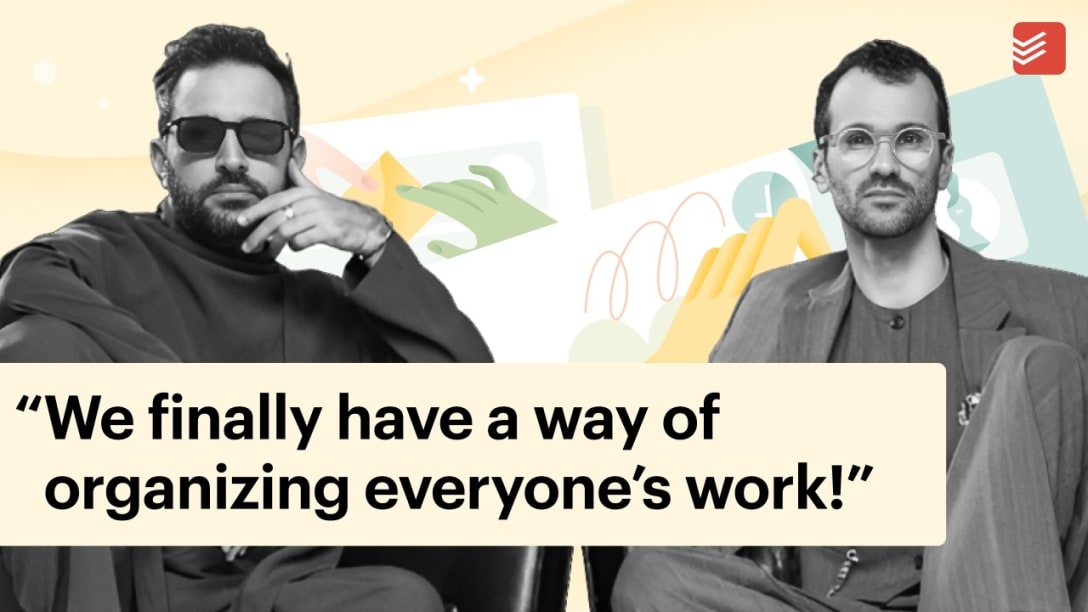
Luís Clara Gomes and Gui Tomé Ribeiro have been making music together for nearly a decade as electronic music duo MXGPU. Under their Lisbon-based record label Discotexas, they do it all: write and produce music, coordinate live shows, manage artist communications, direct photo shoots, handle social media, run PR campaigns, and release records. Their team consists of specialists across design, content, photography, operations, and more.
For a while, they tried to coordinate all of it with a spreadsheet.
Many hats, one nightmare spreadsheet
Running a creative operation means navigating wildly different relationships with technology. Some people on MXGPU's team are programmers. Others prefer paper on a wall.
"In music in 2026, you have to wear many hats. The world is unfair to people who only make good music." – Luis Clara Gomes, electronic musician, MXGPU
A spreadsheet, in theory, seemed like neutral ground. In practice, the spreadsheet along with WhatsApp group messages for chatting as a team became unmanageable fast. A single show announcement could require a dozen separate entries – the artwork, the ticket link, door times, the posting schedule, who's responsible for what. Add a record release into the mix, and the whole thing collapsed under its own weight.
"It became very easily, and very fast, a mega confusion," Gui says. "Everyone couldn't be taking care of everything."
A hotel room in Poland
The breaking point came while the team was on the road filming a TV show in Poland. They found themselves in a hotel room with laptops open, trying to untangle the mess.
"We were really having a hard time with all of this,” Gui says. “A lot of tasks and a lot of stuff to do, without a clear vision of how we would do it."
That night, they started talking seriously about getting rid of the spreadsheet in favor of a project management tool. They considered Asana, Trello, and Notion, but found them to be too complex. They knew that getting everyone into a single system would require something that wouldn’t intimidate anyone.
“What good is a tool if you cannot motivate people to use it? Otherwise you will feel like it’s another burden that you have to carry alongside all the other stuff you’ve got to do.” - Luis Clara Gomes, electronic musician, MXGPU
Luis suggested Todoist. The team built out a team workspace in Todoist together on the spot: they talked about how to organize projects, what counted as a sub-task, who got assigned what.
"It started to make sense that day," Gui says. "It was clear enough that it would work."
In their Todoist workspace
Today, MXGPU's Todoist workspace has several projects within it, covering comms and marketing, shows, studio and store, releases, and more. Tags keep weekly meeting agendas organized – their comms meeting, production meeting, management meeting each have their own tag, so agenda items surface automatically.
For releases, they duplicate a master release template and work backward from the launch date assigning tasks as they go: artwork specs, audio masters, lyrics, DJ promo, DSP pitches, visualizer assets, Discord posts, a debrief. Each sub-task can hold direct links to the corresponding Dropbox file right in the description.
"Anyone dealing with artwork will go to the artwork task and find the link for the final file," Gui explains. "Only one file, to avoid any problems."
One tool to rule them all
Luis doesn't just use Todoist for MXGPU. He uses it for everything.
"I want one tool for my life," Luis says. "In our lives, we mix work and personal life very much. One tool to rule them all – and then you can create a wall between personal life and work."
He's set up a shortcut on iOS that opens Ramble directly. A thought comes in – a creative idea, someone to call – and he records it. It lands in his Todoist Inbox, waiting until he's in a more organized moment to sort through.
"Until I write an idea down, I feel very anxious about losing it," he says. "Having somewhere safe that I know I will come back to later, that's great."
Luis appreciates not having to configure tasks in Todoist. He just describes them – in writing or out loud – and Todoist does the rest:
"I can write 'every two weeks' instead of having to set up some recursion tick," he says. "Remind me to refresh my YouTube music playlist every two weeks. Done."
No more follow-ups on WhatsApp
Creative Operations Manager João Cardielos has a go-to pitch for anyone still running their operation on spreadsheets and group chats:
"Imagine you can assign a task on your to-do list that's not for you,” João says. “The person responsible will get notified on the day it's due, by email. We never had that before, and it really changes things."
Even team members who don't open Todoist every day get pulled in through email notifications. A task lands in their inbox at exactly the right moment. No chasing. No "did you get to that?"
The discussion that used to happen across WhatsApp threads – where twenty messages could bury something urgent – now lives in Todoist's task comments.
"This helps a lot," Gui says. "A specific interaction with someone, associated with a specific task and sub-task. Imagine doing that on WhatsApp.”
Worth more than it feels
The output people notice about MXGPU – the frequency of releases, the cohesion of how they announce shows, the consistency of their communications – looks effortless from the outside.
“Some of the people that are closer to us ask us about our process because they see a lot of delivery: a lot of content being made, a lot of music being made, the way we announce shows, the way we communicate everything,” Gui says. “It looks very cohesive and organized.”
"We say that we use Todoist and it's a very good tool for us because we finally had a way of organizing everyone's work," Gui says, "and that made us way more productive.”
Three tips from MXGPU’s Todoist setup
1. Set the rules on day one
Make your team’s transition to Todoist clean even if it feels a little drastic. If you leave the old system running alongside, nothing changes.
2. Make tasks the source of truth for links, files, and attachments
Add the Dropbox link, final asset, or brief directly to the task description. When everyone knows exactly where to look, nothing gets lost in a thread.
3. Templatize your recurring work.
A good task template duplicates in seconds. Every process you can templatize is a process you never have to re-figure out.

Carlin Sack
Carlin Sack is a product marketer at Todoist.