
This AI Consultancy Used Todoist and Claude to Grow Quarterly Revenue 35%+ and Keep Churn at Zero
With Todoist and Claude, the team at AI consultancy GO First built an automated system that impresses clients by ensuring next actions never slip through the cracks.
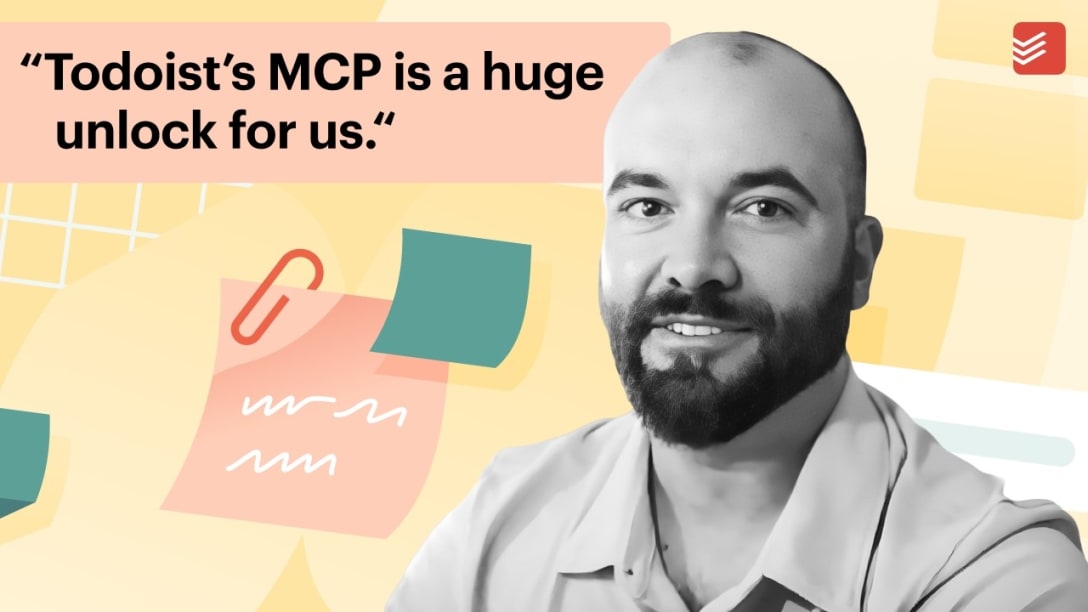
Clients look to GO First, an AI consulting practice for home builders, to implement AI setups that help accelerate their businesses. GO First founder Grant Fuellenbach’s background is in construction technology, which gives him a keen eye for transforming his clients’ digital workflows.
“I love what I do,” Grant says. “I get to feed my own curiosity: I get to pick the tech stack, pick the clients, pick the problems we’re solving.”
When MCP servers were introduced a couple years ago, Grant knew they would offer a boost not just to his own business, but for his clients’ operations as well.
“What’s great is pretty much every tool in our tech stack has an MCP,” Grant says. “It’s basically the new Swiss Army knife. You can connect any of your tools together in ways you couldn’t before.”
A longtime Todoist user, Grant turned to Todoist’s MCP server to hook Todoist up with Claude.
“Todoist’s MCP is a huge unlock for all of us because it allows us to streamline the way that our information is categorized, regardless of what tool we’re using.” – Grant Fuellenbach, founder, GO First
Boosting revenue and reducing churn with Todoist and Claude
At GO First, every client has their own Todoist project with tasks landing there automatically, through a workflow Grant built with Claude, CRM Day AI, and Todoist. Every day at 7 AM and 3:30 PM, a scheduled task in Claude reads through everything Day AI picked up – including meetings, notes, commitments – and creates relevant tasks in the client’s Todoist project via Todoist’s MCP server. Important next actions about client work land in the right project, auto-assigned to the right person, without Grant touching a keyboard.
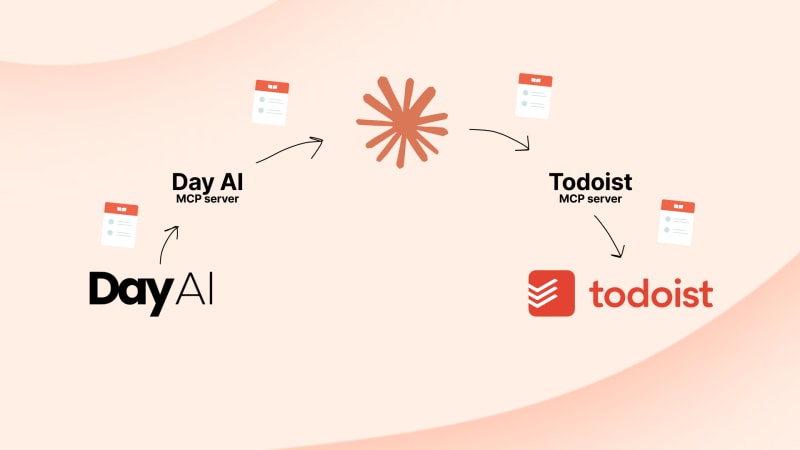
Grant estimates he’s saving at least three hours a week just from this workflow, though he’s sure it’s more. But the biggest impact is what it means for GO First clients, who have come to know that items discussed with Grant on calls or emails will be done promptly and nothing slips through the cracks. That resulting trust has been good for GO First’s business:
“Since we’ve incorporated both the Todoist MCP and the Day AI MCP together, we’ve had at least a 35 to 40 percent revenue growth quarter over quarter. Also, my churn rate is zero, and I think a good chunk of that comes down to this.” – Grant Fuellenbach, founder, GO First
In another automated workflow with Todoist’s MCP server, new leads are created as tasks in a dedicated Todoist project with a recommended next action attached. Each task also arrives with a date (which Grant uses to indicate when the task can be started) and a deadline (the must-complete-by date) already set. Custom labels are also applied automatically via Todoist’s MCP server: signal versus noise, deep work, internal versus external SOPs, which tool a task touches, whether it’s client, partner, or competitor-related.
“Even though the way I’m using Todoist is pretty complicated, I love how lightweight it is.” – Grant Fuellenbach, founder, GO First
Content that plans itself
Grant’s marketing team is three copywriters and a laptop that goes wherever he does. Together, they turn out blog posts, social posts, and a podcast – Beyond the Bid, where Grant interviews builders and software partners about how they’re using AI – that keep new clients finding GO First. The team has a “90-day content calendar” project in Todoist to ensure assets are going out consistently and uses a Claude skill to keep the week’s content following a framework Grant set (“talk about a problem on Monday, something fun on Tuesday, etc.”) with copywriters automatically assigned Todoist tasks.
A separate Claude skill scans trending topics every week across Grant’s meeting data and a handful of Facebook groups, combines them, and drops the results into a “swipe file” Todoist task so fresh content ideas are on-hand and plentiful.
“The killer part is that it’s all automated,” Grant says. “We just brainstorm the topics. Everything after that runs through Claude.”
Three tips from GO First’s Todoist setup
Ask Claude for help building an automated system with Todoist and Claude. Grant recommends anyone getting started to ask Claude for advice with a simple prompt like: “I want to streamline my operations. We’re using this tool called Todoist, as you know, it connects to Claude. Help me identify gaps in the business and maximize the use of Todoist.”
When on the go, Ramble. Grant talks through his thoughts with the Ramble feature on Todoist’s mobile app, and Todoist tasks are added accordingly.
Customize your Todoist labels as you go. Start with a few simple labels, then keep layering on more as patterns show up in your work.
Grant is a real Todoist user. We compensated him for kindly giving his time. The review and words are his own.

Carlin Sack
Carlin Sack is a product marketer at Todoist.