The thing that often kills new tools is having to think about them. Another tab to check, another notification to clear, another system to feed. It can feel noisy. You've got enough on your plate without another new app demanding a corner of your attention all day.
Todoist isn't asking for that. The whole habit is opening it every morning and just checking in throughout the day.
Since your work all lives in that one place now, that’s more than enough. That's what your Champion was after when they set this up: not another thing to keep up with, but one place that safely holds it all and actually gives you more space.
Mental space, work clarity. Just, more.
The rest of this lesson is just the how.
Today: the one screen that matters
Open the Today view. It pulls together everything due today, across every project, personal and team, into one screen and one list.
Most days, this is the only view you need. The team projects are there for context, but Today is where you actually work.
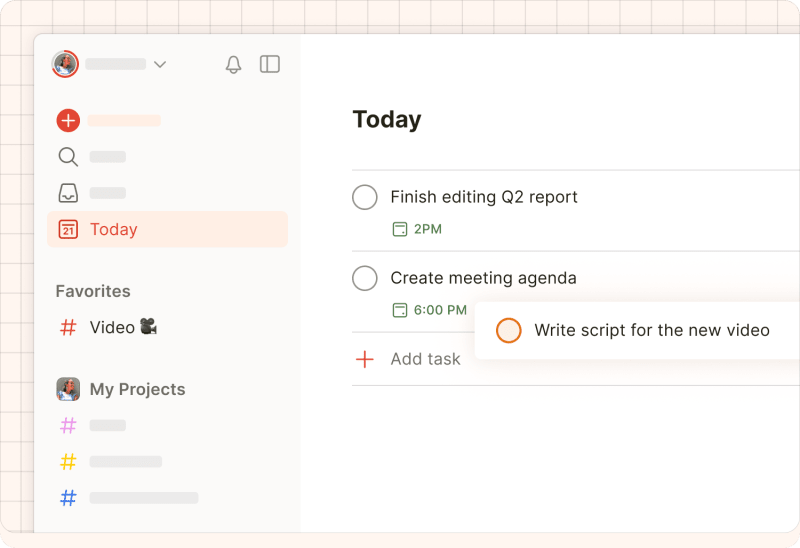
In the morning, open it. Tick off anything already done, and move anything that won't realistically happen today.
One team member, Jake, told his Champion that this is the part that sets him up. A couple of minutes in Today and he knows what's actually ahead of him, and what isn't realistic. When he moves a task, he drops a quick comment on it so whoever's waiting knows why, and nothing goes quiet without an explanation.
Upcoming: when you need to look further ahead
When you need to see past today, open the Upcoming view, which is a calendar-style look at everything scheduled this week and next.
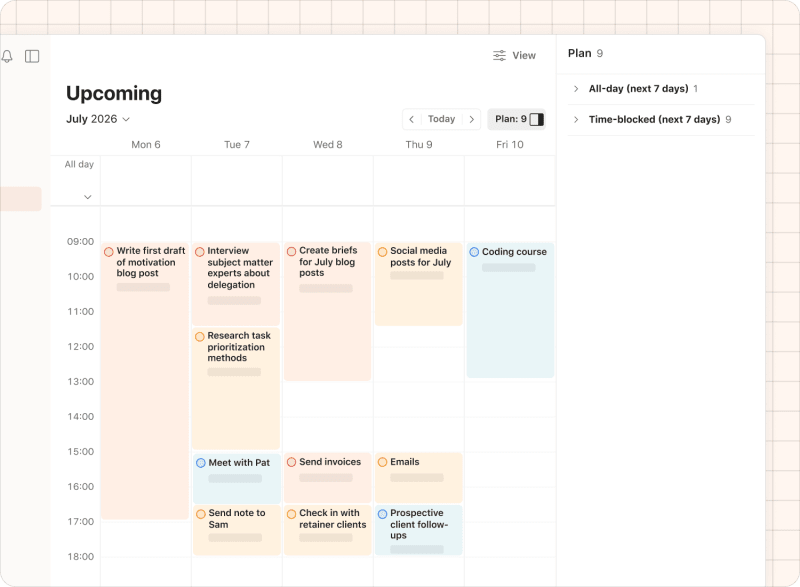
Use it when a meeting moves and three tasks have to move with it, or when you realize Friday's brief should really happen on Wednesday. You drag, you drop, and it's done.
Upcoming is the planning view, and Today is the doing view. You'll spend most of your time in Today.
The end-of-day pass
At the end of the day, open Today one more time. Tick off what you haven’t yet, and anything still left, move it forward to tomorrow or later in the week. Don't leave things sitting in red, because overdue is the fastest way for a system to start feeling oppressive. Jake learned that the hard way, and the morning-and-evening pass is the ritual he swears by now.
Two minutes, and you’ve built in your day’s reflection too.
A note on notifications
The morning-and-evening Today check can really be the whole system (with glances throughout the day as you go), and it works on its own without any notifications at all.
Notifications and reminders are an optional layer on top. Some people find them useful, like a reminder that nudges you before a deadline, or a location-based one that catches you at the right moment. Others find them noisy. Both are fine, so keep the ones that earn their place and mute the rest in your settings.
One word of caution: if you turn everything off, the workspace will go quiet, and it's easy to then forget it's there at all. So mute selectively rather than wholesale.
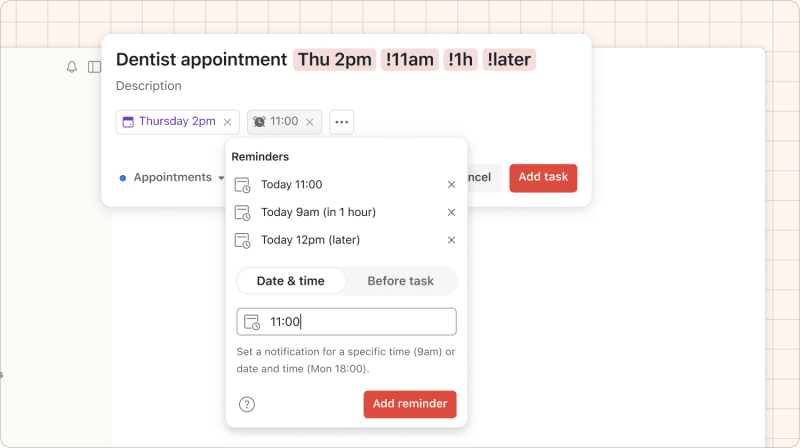
If you do want to set a reminder, typing an exclamation mark (!) brings up suggestions. You can also tap the Reminders chip in the task view and they'll appear.
So tomorrow morning, open your Today view before your first meeting. That's how this becomes a habit.
And that's the system. You came into an unfamiliar app a few lessons ago, and now you can find your team's work, do your part in it, and keep your whole day in one place.
That's not a small thing, and you've got it!
There's one more lesson. It's a short set of answers to the questions that tend to come up once you've been using Todoist for a week or two – not something to read cover to cover, just somewhere to go when a question comes up.
Also, for the full set of Todoist features, you can check out our Help Center or Todoist glossary.