Bedre teamarbeid starter sjelden med en stor prosessendring. Noen ganger starter det med å åpne en fane og endelig se hva som faktisk foregår.
Det viser seg at du ikke trenger et komplisert system. Bare et klarere bilde.
Disse oppdateringene gir teamet ditt sanntidsinformasjon om hvem som jobber med hva, hvordan prosjekter ligger an, og hva som har skjedd i teamet.
Personer-fane (Beta)
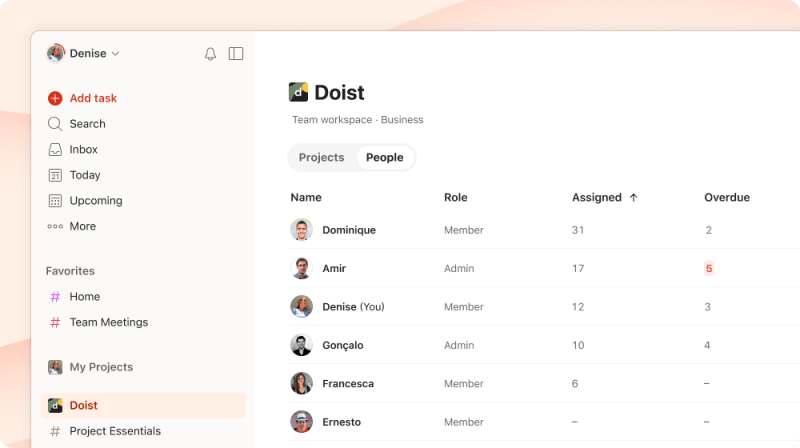
Frem til nå har den eneste måten å vite hvordan teamets arbeid var fordelt, vært å spørre rundt, sjekke individuelle prosjekter eller stole på det mentale bildet du har båret med deg – som, viser det seg, ofte er feil.
Personer-fanen samler alt på ett sted. Hvem som er tildelt hva, hvem som har mye å gjøre, og hvem som har mer kapasitet. Administratorer ser også forfalte oppgaver på tvers av teamet, slik at ingenting blir glemt.
Du finner den ved siden av Prosjekter-fanen i oversikten over teamarbeidsområdet ditt.
Obs
Innsikt
1:1-møtene dine skulle aldri være 40 minutter med «hvor er vi på denne? Og denne? Og denne?»
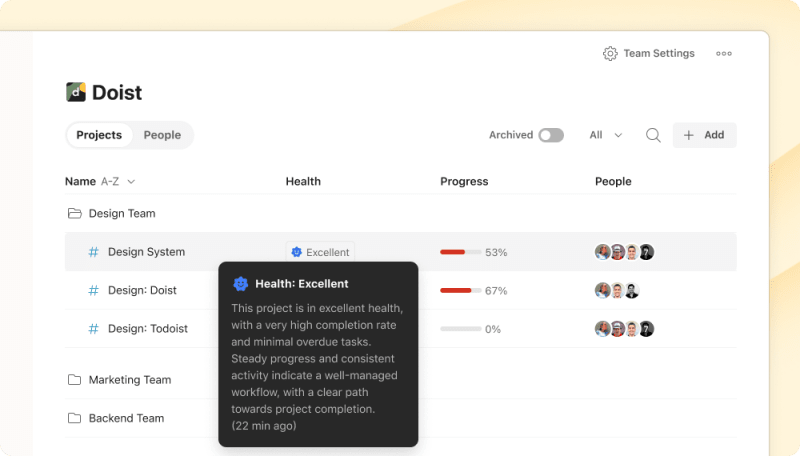
Innsikt gir deg en sanntids helsesjekk for hvert prosjekt: hvor langt det er kommet, hvor ting står i fare, og hvordan arbeidet er fordelt i teamet. Ingen oppsett, ingenting å konfigurere – det fungerer basert på hvordan teamet ditt allerede jobber.
Identifiser prosjektet som henger etter, eller personen som bærer en betydelig større arbeidsmengde enn alle andre. Så når dere setter dere ned sammen, vet dere allerede hva som foregår. Ingen statusrunde. Ingen overraskelser. Bare samtalen dere faktisk trengte å ha.
Prosjektinnsikt er tilgjengelig på Todoist Business, på tvers av alle plattformer. Åpne et hvilket som helst teamprosjekt for en rask oversikt over statusen, eller hent opp arbeidsområdeoversikten for å se hvordan alt ligger an samtidig.
Aktivitetslogg
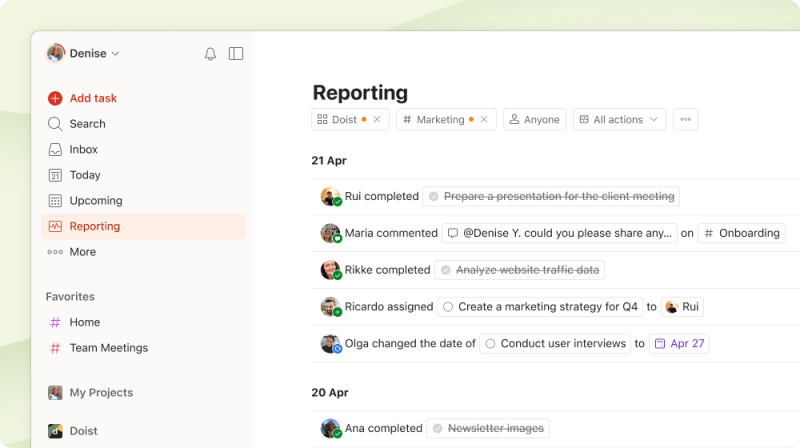
Aktivitetsloggen svarer på spørsmålet du ikke ville stille: Hva har egentlig skjedd?
Den bor i sidestolpen din, og den er redesignet for nettappen. Et renere oppsett, nye filteralternativer og forhåndsinnstillinger som tar deg rett til det du leter etter. De fullførte oppgavene dine, aktivitet på tvers av favorittprosjektene dine, alt teamet leverte forrige uke – alt er der, klart til å dykke ned i.
Kommer du tilbake etter en langhelg? Du får vite nøyaktig hva som skjedde mens du var borte, alt før din første kaffe.
Den eksporteres også til Markdown – nyttig for ukentlige oppdateringer, møtereferater eller for å bruke den et annet sted.
Obs
Alt på ett sted
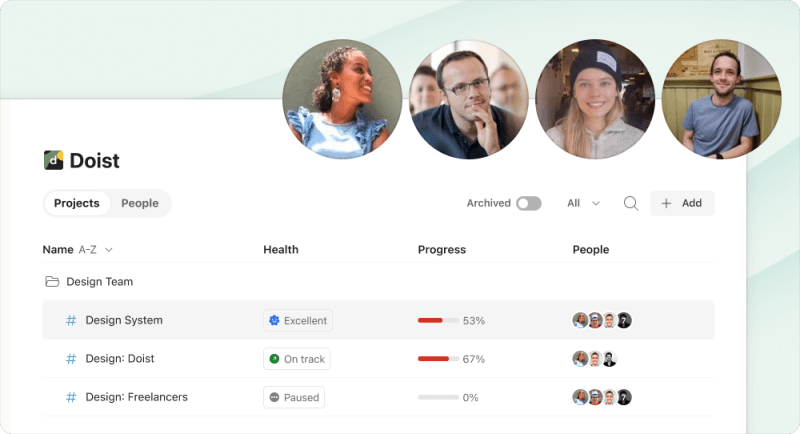
Vi har satt sammen en guide som tar deg gjennom alt – fire korte videoer, én per funksjon. Kaitlin, Marco, Dermot og Denise tok hver sin. Start der det gir mest mening for teamet ditt.