
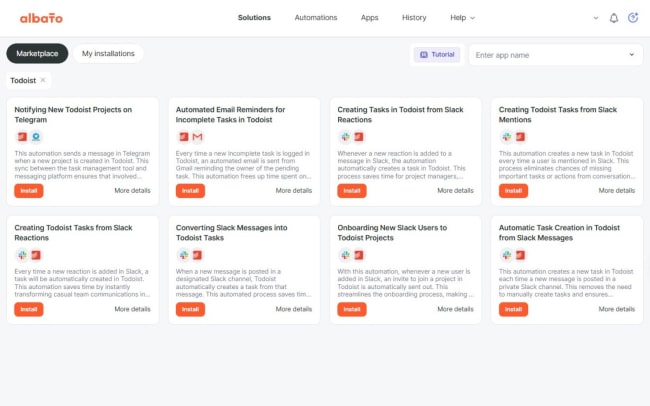
Keeping track of tasks and projects across multiple tools can be overwhelming, leading to missed deadlines and reduced productivity. With Albato’s integration with Todoist, you can automate your workflows and simplify process management. Say goodbye to repetitive manual updates and focus on what truly matters.
This integration lets you automate key Todoist actions such as creating, editing, closing, or reopening tasks, managing project details, and adding comments to tasks or projects. You can even send custom API requests for advanced use cases.
Whether you’re managing personal goals or collaborating on team projects, Albato ensures a seamless connection with Todoist, keeping your workflows efficient and stress-free.
Features
-
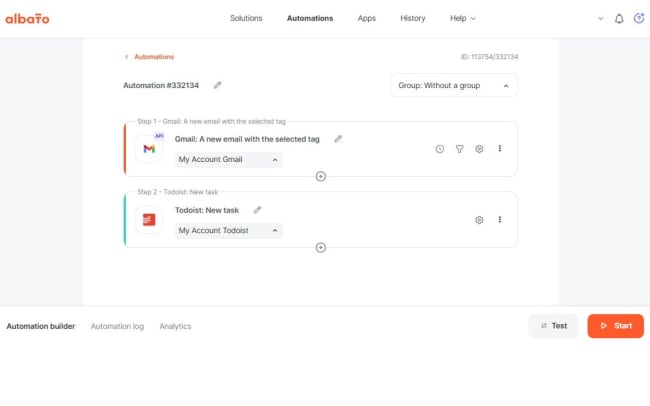
Use Albato to create a new task in Todoist whenever you receive an email with a specific label in Gmail, ensuring important messages turn into actionable items.
-
Automate project creation or updates in Todoist whenever a new row is added or modified in Google Sheets, perfect for tracking team deliverables.
-
Automatically close a task in Todoist when a client completes a form in Typeform, streamlining your workflow for task resolution.
-
Set up an automation to add new comments to Todoist tasks whenever specific keywords are mentioned in a Slack channel, enhancing team communication.
-
Automatically reopen tasks in Todoist if their deadlines are missed and a follow-up event is scheduled in Google Calendar, ensuring nothing slips through the cracks.

Can’t find the integration you’re looking for?
Integrate with thousands of other apps via our automation partners. Or, explore our API to build your own extensions or integrations.